Your app’s front door, designed by you
The home screen is the first thing every customer sees. Design it like a canvas: a big hero photo, this week’s specials, your fan favorites, an announcement. Publish it to every phone the moment you hit save.
Live phone preview · Publishes instantly · No app update needed
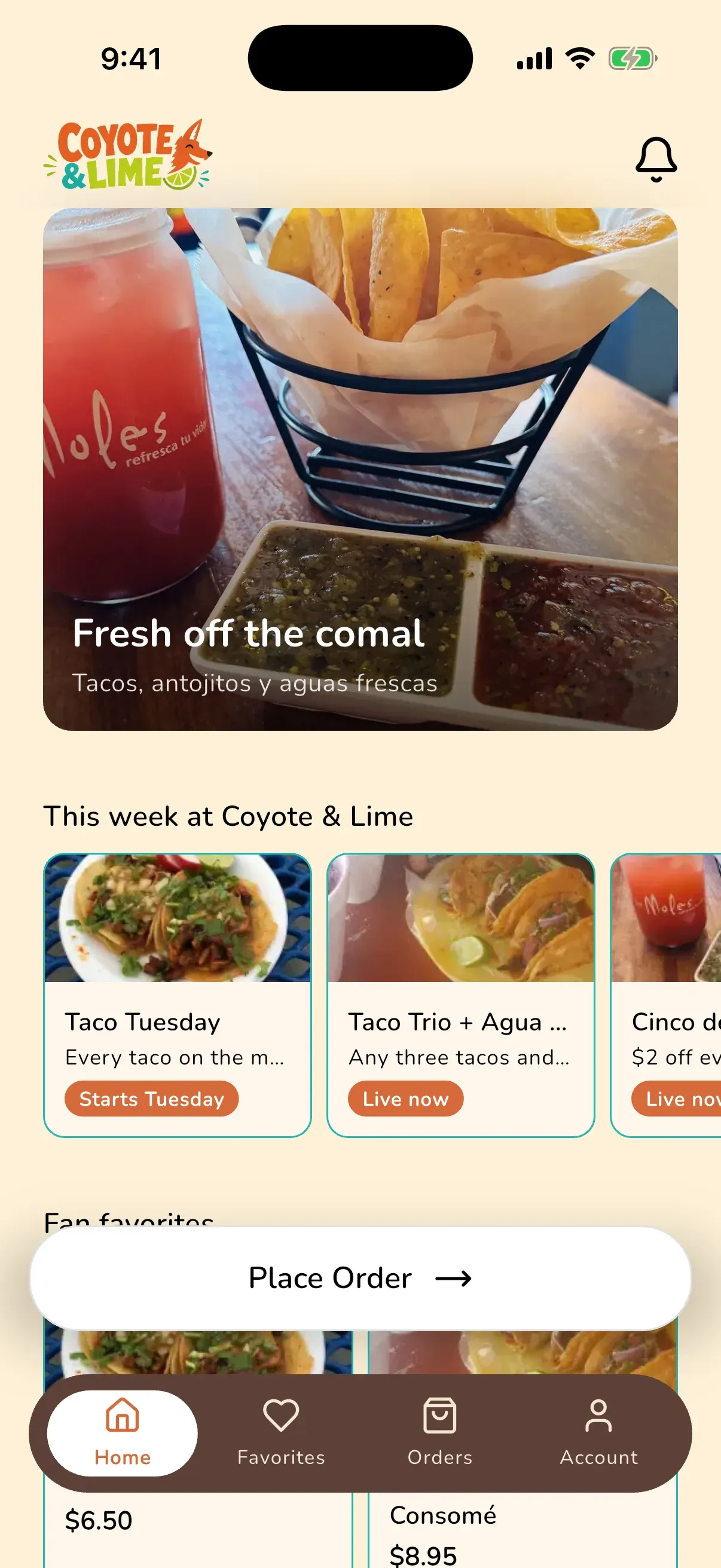
Drag it together, watch it happen
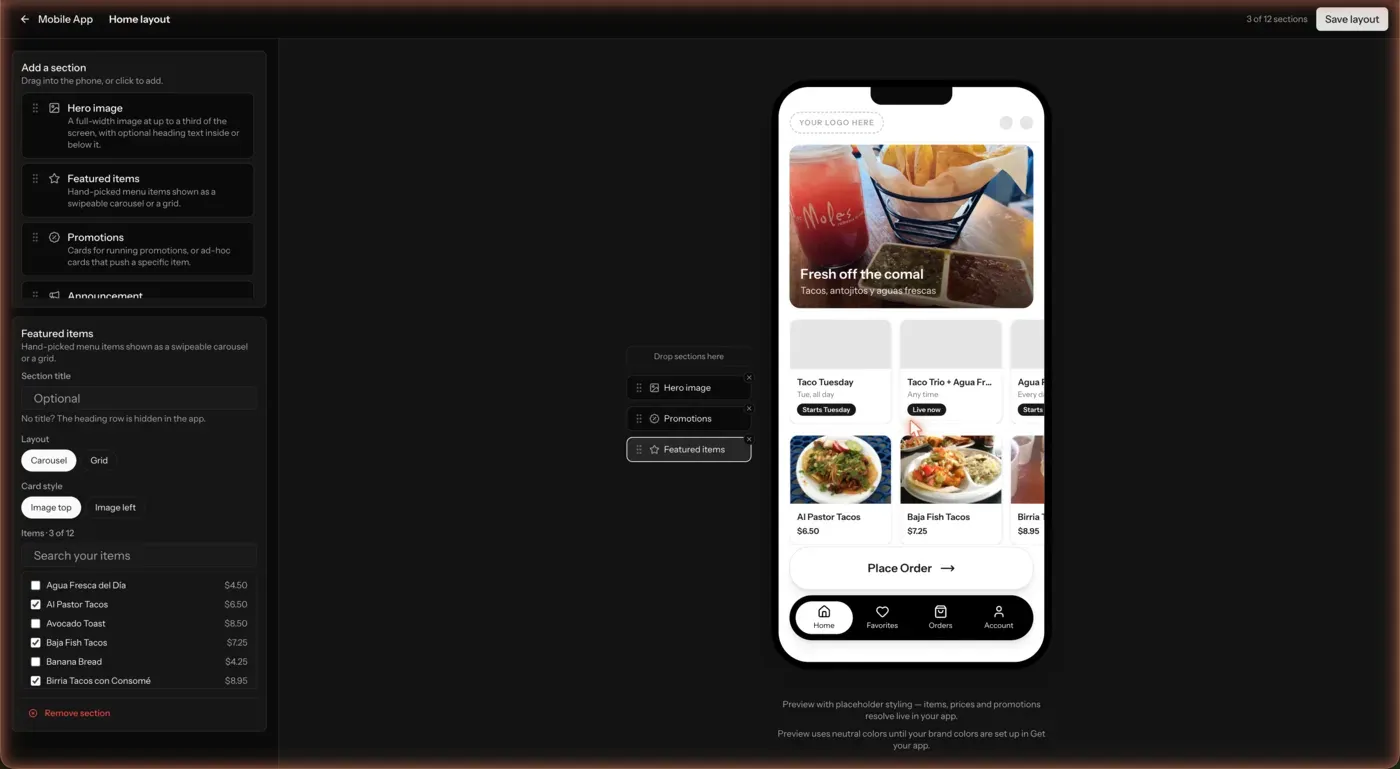
Add sections from the palette and they land on a live phone preview. Drop in a photo, type a headline, pick the specials to feature. What you see is what ships.

A real session in the designer, sped up. Hero, specials, and featured items on the phone in under a minute.
Stack the sections your shop needs
Mix merchandising you design with the app’s own smart cards. Each customer sees their favorites; you decide where they sit.
Hero image
A full-width photo with an optional headline, shown on the image or below it. Link it to any item.
Promotions
Cards for your running specials, straight from the promotions you’ve built, or ad-hoc cards that push one item.
Featured items
Hand-picked dishes as a swipeable carousel or grid, with their real photos and prices.
Announcement
Free text in your colors: mariachi Fridays, a holiday close, a new location.
Order from
The app’s own location card with hours and the tap-through to start an order.
Favorites & saved orders
Each customer’s hearted items, favorite locations, and saved orders, placed wherever you like.
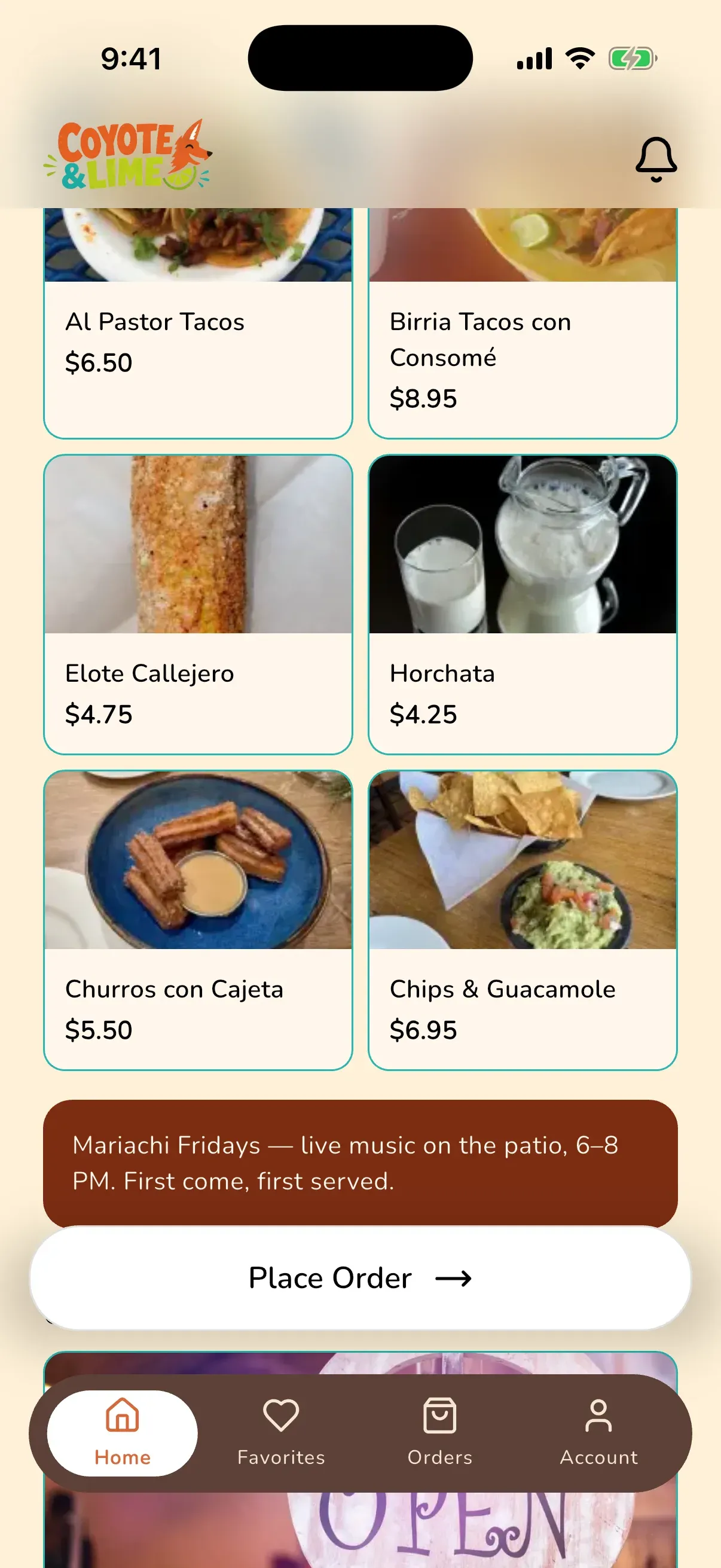
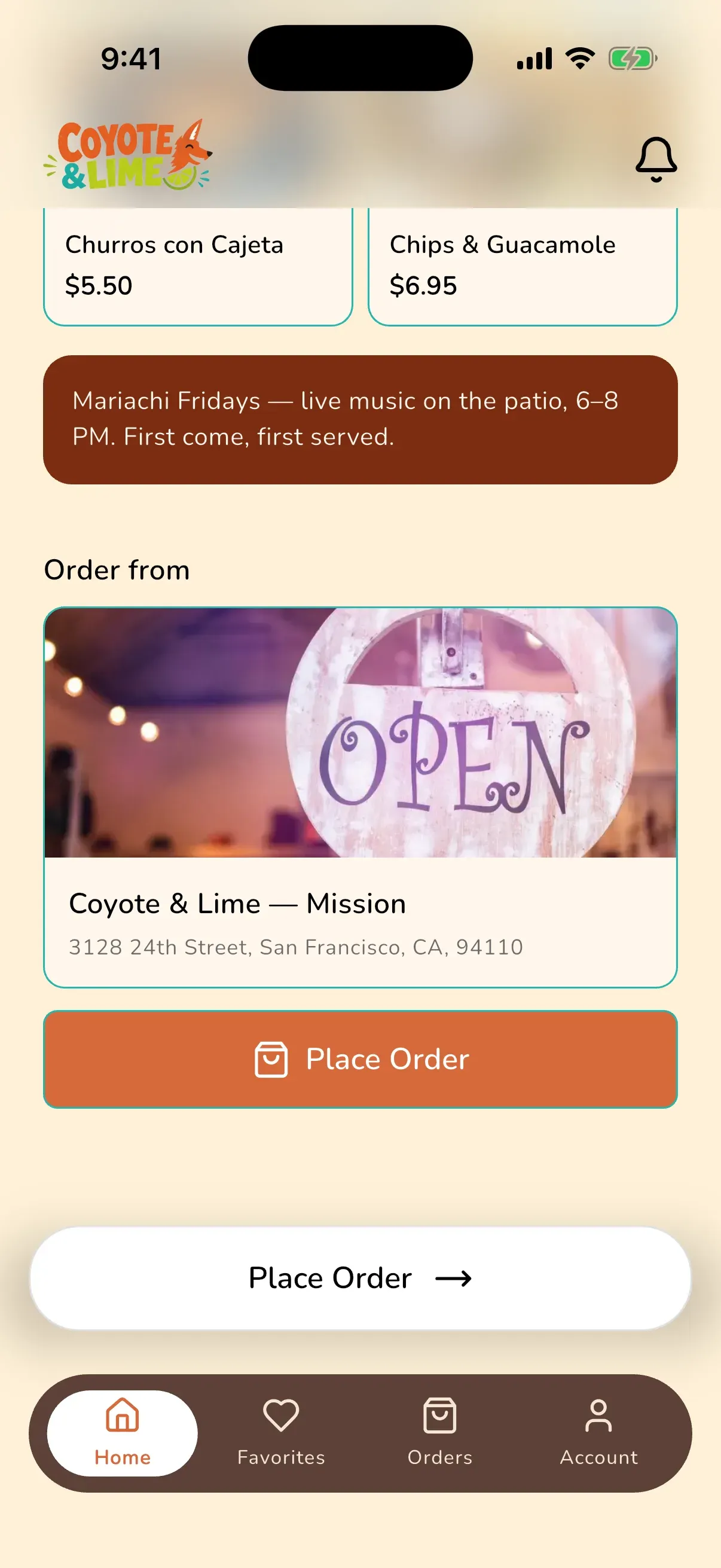
Save, and it’s on every phone
There’s no app-store release and no waiting. Hit Save layout and the next time a customer opens your app, the new home screen is simply there.
Everything resolves live. Item photos and prices come from your menu, and promotion cards follow their schedules. A special that starts Tuesday says “Starts Tuesday” until the moment it’s live.
And you’re never locked in. Ordare’s standard home screen is always one click away. Switch back any time and your design is kept, not deleted.
Start simple, go custom when you’re ready
Standard
Ordare’s ready-made home screen: order card, favorites, and menu, no setup required. Every app starts here.
Photo takeover
A full-screen rotation of your best photos with the order button on top. One image slot, maximum drama.
Custom layout
The designer, end to end: your sections, your order, your merchandising. The full canvas.
The designer lives inside your branded app, and it’s where your promotions earn their spot on the home screen.
Ready when you are
Give your customers your own app. Keep 100% of every order.
$99/month for your restaurant’s own iOS and Android app, with ordering, loyalty, and marketing built in. No commissions on your orders, no contract.
No setup fee · No contract · Cancel anytime